
FaceApp: Perfect Face Editor
FaceApp Technology LtdPhotography
4.377.23K Reviews
- Version
- Varies With Device
- Installs
- 500.00M
- Age Rating
- Everyone
Screenshots
Our Review of FaceApp: Perfect Face Editor
 Analysis by Appyee
I usually judge a selfie editor by what happens after the first laugh: can I make a portrait I would actually share, and can I control how polished it looks? FaceApp is built around quick facial transformations, so it is at its best when I have one clear photo and want to explore a few different directions without learning a full editing suite. That makes it a playful creative tool, though not a replacement for careful, hands-on photo retouching.
For an everyday example, imagine taking a decent selfie before meeting friends, then wondering whether a different hairstyle or a softer makeup look would suit the photo better. I can try a few treatments, compare the results, and keep the version that still feels like me. The key is to treat the edits as options rather than automatic improvements: a convincing transformation can still be the wrong choice for the mood or purpose of the picture.
A quick creative starting point
FaceApp is a photography app from FaceApp Technology Ltd, and its focus is immediately clear: start with a face and see how a selection of treatments changes the portrait. I would recommend it to people who want approachable selfie experimentation, not to someone looking for a complete workflow for landscapes, product shots, or detailed compositing. Its appeal is that it makes a visual idea easy to test before you commit to a look elsewhere.
The app is free to download, with in-app purchases listed from $4.99 to $99.99 per item. I would begin with the free experience and decide whether I actually use the available tools often enough to justify paying for more. The audience rating is Everyone, but that does not mean every transformation will feel appropriate for every person or occasion; I would still use judgment when editing someone else’s face, especially before sharing the result.
First Impressions and Features
So, I downloaded FaceApp because I was curious to see what all the buzz was about. Right off the bat, the interface is super clean and easy to navigate. No complicated menus; it’s pretty intuitive, which is always a plus in my book. You just upload a photo, and voila! You're ready to dive into a world of filters, edits, and transformations.
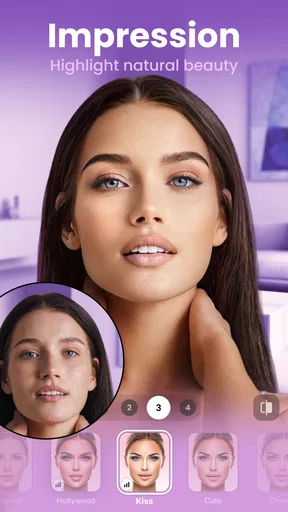
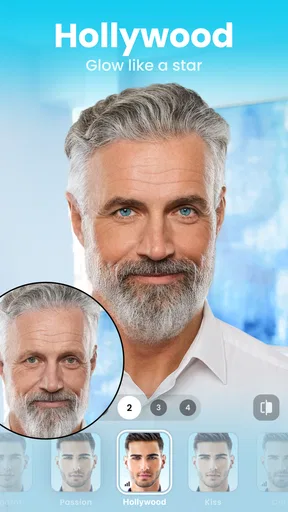
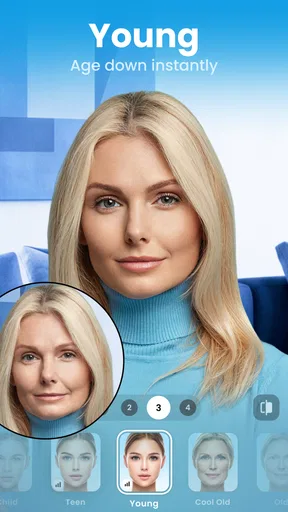
One of the standout features has to be the AI technology it uses. It's not just about slapping on a filter; it’s almost like having a mini Photoshop in your pocket. The app can completely transform your look with just a few taps. Whether you want to see what you'd look like with a different hairstyle, age yourself (or de-age if that's more your style), or even swap genders, this app does it all. And it does it with a level of detail that's frankly impressive!
Diving Deeper into the Fun Stuff
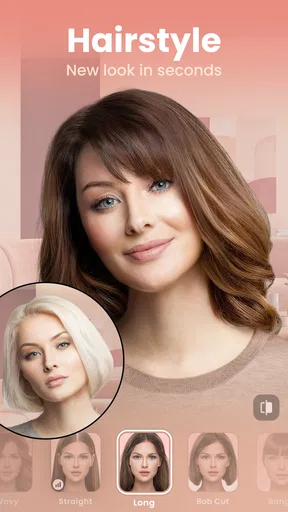
The hair color and style options are particularly fun. I mean, how many times have you thought about trying a new look but weren't quite ready to commit? Well, now you can experiment to your heart’s content. I tried out a few hairstyles that I’d never dare to in real life, and it was hilarious to see!
Another fun tool is the aging feature. Ever wonder what you'll look like in 30 years? The app gives you a pretty convincing sneak peek. It’s a bit freaky but also kind of fascinating. Plus, there’s the option to add some facial hair if you’re curious about how you’d look with a beard or mustache.
Making edits without losing the point of the photo
The best results come from choosing a photo that gives the edit a fair chance. I would start with a clear, front-facing portrait where the face is easy to see, rather than a distant group shot, a heavily shadowed image, or a picture with the face partly covered. That is not just about getting a more convincing transformation: it also makes it easier to judge whether a changed hairstyle, smile, or makeup treatment still fits the person in the original.
I also find it useful to decide what I am testing before opening the tools. If I am comparing hair ideas, I keep the rest of the portrait as natural as possible; if I am trying a more dramatic look, I judge the whole result as a stylized image rather than pretending it is an untouched photo. Changing one visual element at a time makes comparisons clearer and helps avoid the common trap of stacking changes until the image no longer feels believable.
For a friend’s profile picture, for instance, I might make a subtle pass and stop once the face still looks recognizable. For a private group chat, I might lean into an exaggerated transformation because the goal is amusement, not a faithful headshot. That distinction is where the app’s range becomes useful: the same portrait can serve a light joke or a more considered style experiment, but those are different jobs and deserve different levels of restraint.
The Magic of Filters
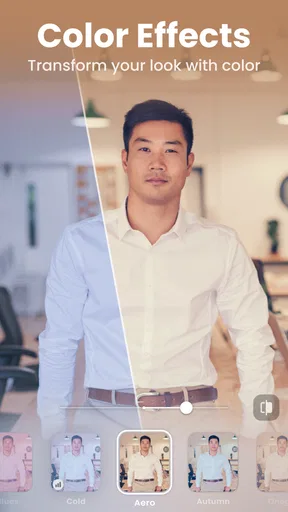
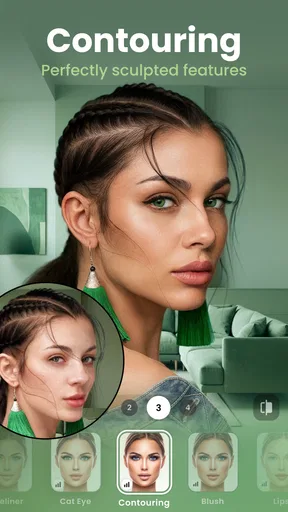
Now, let’s talk filters. They're not your average Instagram filters. Whether you're going for a soft glow or a dramatic look, the options are endless. The app even offers makeup filters that can give you a full glam look with just a tap. Perfect for those days when you want to look extra without putting in the effort.
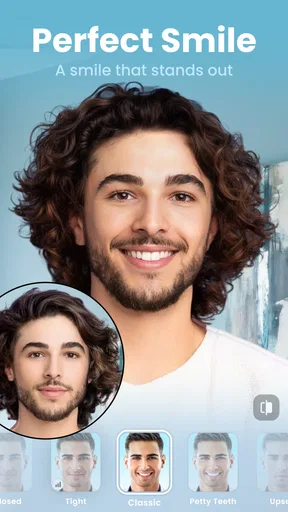
Oh, and the smile feature! You can add a smile to your photos, which can be pretty amusing. It’s surprisingly natural looking, and I had a good laugh turning my serious selfies into grinning portraits.
How it fits beside other photo editors
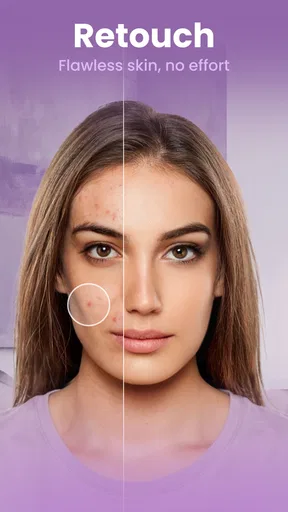
Compared with a general photo editor, FaceApp is more focused on changing facial appearance than on giving me precise control over every part of an image. That specialism is its strength when I want to preview a face-centered style quickly. A broader editor is usually the better choice when I need careful control of lighting, color, cropping, blemishes, or the background, or when the photo is not primarily a portrait.
It also fills a different role from social apps whose filters are mainly meant to be applied while taking or posting a picture. Here, the appeal is revisiting a portrait and trying a transformation as an editing step. I would not make it the only tool in a creator’s kit: I would use it to explore a look, then move to a more manual editor if the final image needs detailed cleanup or a consistent treatment across a batch of photos.
One practical trade-off is that a single striking result can be more persuasive than it deserves. I would look at the edit at normal viewing size and ask whether it still reads naturally, rather than judging only from a close-up preview. For a professional profile or a portfolio, a restrained edit is generally safer; for a playful post, a visibly artificial effect may be exactly the point.
Performance and Usability
In terms of performance, I was impressed. The app runs smoothly without lag, which is crucial when you’re trying out different features. It didn’t crash or slow down my phone, which is always a concern with feature-heavy apps. Plus, it processes the edits relatively quickly, so you’re not left waiting around.
Usability-wise, it’s pretty straightforward. You don't need to be a tech wizard to figure things out, which makes it accessible to everyone. The free version offers a decent array of features, but if you really want to unlock all the goodies, there's a pro version available. It’s a bit of a hit on the wallet, but if you’re an avid user, it might be worth the splurge.
From experimenting to sharing
For a simple handoff, I would make the edit, pause to compare it with the original, and only then save or share the version I want. Keeping the unedited photo available is useful because it lets me revisit the choice later, especially if I am deciding between a natural portrait and a more playful transformation. I also avoid sending every trial to a public feed; a quick private comparison with a trusted friend can be a better way to decide whether an edit feels right.
If the image is intended for a specific use, I think about that destination before settling on a treatment. A casual social post can handle a bold effect, while a work profile or a photo meant to represent someone accurately calls for more caution. FaceApp’s transformations are most useful as creative choices, not as evidence of what a person really looks like. I would not use an altered portrait to mislead someone about identity or appearance.
One question people often have is whether they need editing experience to get a result. In my view, no: the straightforward flow makes basic experimentation approachable. The harder part is not operating the app but deciding when to stop. Another reasonable question is whether paying is necessary. Since the app is free to start, I would first see how often I return to the available options; the listed purchases span a wide range, so checking the specific offer before buying matters more than assuming a subscription or one fixed price.
FaceApp has been available since February 14, 2017, and its reach is substantial: it has passed 500 million installs, with an average rating of 4.3 from around 5.3 million ratings and roughly 76,000 written reviews. Those figures suggest that many people have tried it, but they do not guarantee that its style will suit everyone. I would treat the public response as context, then make the decision based on the kind of portraits I actually edit.
Final Thoughts
All in all, FaceApp: Perfect Face Editor is a fun and entertaining app. Whether you’re looking to kill some time or want to experiment with your look, it offers a variety of tools to keep you entertained. It’s easy to use, performs well, and most importantly, it brings out your creative side. I’d say it’s definitely worth a download if you're into photo editing or just looking to have a good laugh with friends.
I would skip it if what I need is precise retouching, broad image adjustments, or dependable batch consistency; a conventional editor gives me more deliberate control for those jobs. I would also think twice before using a face transformation on a sensitive or formal portrait, where authenticity matters more than novelty. For people who enjoy trying out looks, though, the low-friction way to compare possibilities is the main draw.
So, why not give it a shot? You might just find your new favorite selfie app!
Privacy and Permissions
See what permissions an app requests and how it handles your data.
- Photos/Media/Files
- read the contents of your USB storage, modify or delete the contents of your USB storage
- Storage
- read the contents of your USB storage, modify or delete the contents of your USB storage
- Other
- view network connections, full network access, run at startup, prevent device from sleeping
Verdict
Strengths of FaceApp: Perfect Face Editor
- Realistic photo transformations.
- Wide range of editing features.
- Easy-to-use interface.
- Regular updates and improvements.
- High-quality output images.
Limitations of FaceApp: Perfect Face Editor
- Free version has limited features.
- Contains in-app ads.
- Requires internet for some features.
- Subscription model can be pricey.
- Privacy concerns with photo use.
Similar Picks in This Category
View All
Google Photos
Google LLC4.4

Gallery
Google LLC4.2

Picsart AI Photo Editor, Video
PicsArt, Inc.3.9

B612 AI Photo&Video Editor
SNOW Corporation4.1

BeautyPlus-Selfie Photo Editor
PIXOCIAL TECHNOLOGY (SINGAPORE) PTE. LTD.4.5

Remini - AI Photo Enhancer
Bending Spoons4.1
You May Also Like
View All
Frequently Asked Questions
What features does FaceApp offer for photo editing?
FaceApp provides a wide range of photo editing features, including age transformation, gender swap, hairstyle changes, and makeup enhancements. The app uses advanced AI technology to ensure realistic edits. Additionally, it offers basic editing tools like filters, background changes, and smile adjustments to enhance your photos.
Is FaceApp free to use, or does it require a subscription?
FaceApp offers both free and premium versions. The free version includes basic features, while the premium version unlocks all filters and editing tools without ads. Users can opt for monthly or annual subscriptions, with a free trial available to explore premium features before committing.
How does FaceApp handle user privacy and data security?
FaceApp has faced scrutiny regarding data privacy, but the developers assure users that images are uploaded to the cloud for processing and deleted shortly after. The app's privacy policy outlines data usage, and users are encouraged to review it to understand how their information is managed and protected.
Can FaceApp edits be shared directly on social media platforms?
Yes, FaceApp allows users to share their edited photos directly to social media platforms like Instagram, Facebook, and Twitter. After editing, users can use the app’s built-in sharing options to upload their creations seamlessly, making it easy to showcase transformations to friends and followers.
Does FaceApp work on all Android and iOS devices?
FaceApp is compatible with most Android and iOS devices, though it requires a stable internet connection to process images via the cloud. Users should ensure their devices meet the minimum OS requirements, which are Android 5.0 and iOS 11.0, for optimal performance and access to all features.
